

Description
Download O&O AppBuster – App Removal, Uninstall Apps, Remove Bloatware, Windows 10, Windows 11, System Cleanup
Overview
O&O AppBuster is a utility application designed to help users manage and remove pre-installed and unnecessary applications from Windows 10 and Windows 11 systems. Its primary purpose is to streamline the operating environment by eliminating bloatware—applications that come pre-installed with the OS but are often unused or redundant. By doing so, it helps users reclaim valuable disk space, improve system performance, and enhance privacy by reducing background processes tied to unwanted software.
The tool targets a broad audience, including home users, IT professionals, and system administrators who seek a clean, efficient Windows experience. It is particularly useful for users who want to customize their systems after a fresh installation or who are dealing with sluggish performance due to accumulated software. O&O AppBuster provides a guided approach to app management, enabling users to make informed decisions about what to keep or remove without requiring technical expertise.
Developed by O&O Software, the application is positioned as a lightweight, free solution for system optimization. While specific details about the company’s background were not provided, the focus on utility and system cleanup suggests a specialized approach to Windows maintenance. The app’s relevance in the current software ecosystem lies in its ability to deliver targeted functionality without bloating the system itself. It fills a niche for users who want a no-frills, effective tool for removing unwanted apps without relying on third-party utilities or complex command-line operations.
Key Features & Functionality
- Manage Pre-installed Apps: O&O AppBuster identifies and enables users to uninstall default applications that ship with Windows 10 and 11, such as weather, news, or Xbox apps. This helps reduce clutter and frees up storage space, especially on devices with limited capacity.
- Uninstall Store Apps: The app provides a centralized view of all Microsoft Store-installed applications. Users can review the list and selectively remove apps they no longer need, improving system efficiency and minimizing background activity.
- Restore Deleted Apps: A safety feature that allows users to recover accidentally uninstalled applications. This functionality ensures users retain control and can reinstall apps without searching for them again in the Microsoft Store.
- Guided Removal Process: The interface walks users through each step, offering clear explanations and warnings before deletion. This minimizes the risk of removing essential system components.
- Lightweight and Fast: With a file size of 23.4 MB, the application is designed for quick installation and minimal resource usage during operation.
For example, a user upgrading from a low-storage laptop can use O&O AppBuster to remove unused apps like Candy Crush or Microsoft Solitaire, reclaiming several hundred megabytes of space. Similarly, an IT administrator deploying multiple systems can use the tool to standardize installations across devices by removing common bloatware.
Interface, UX & Performance
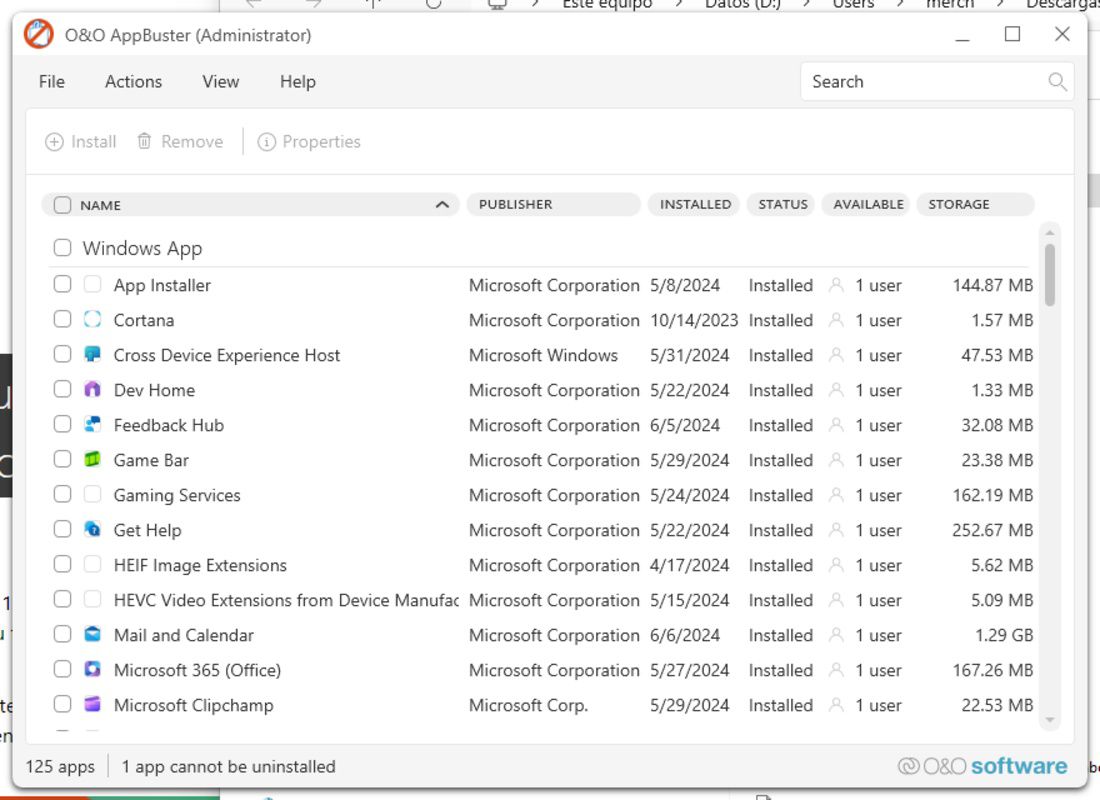
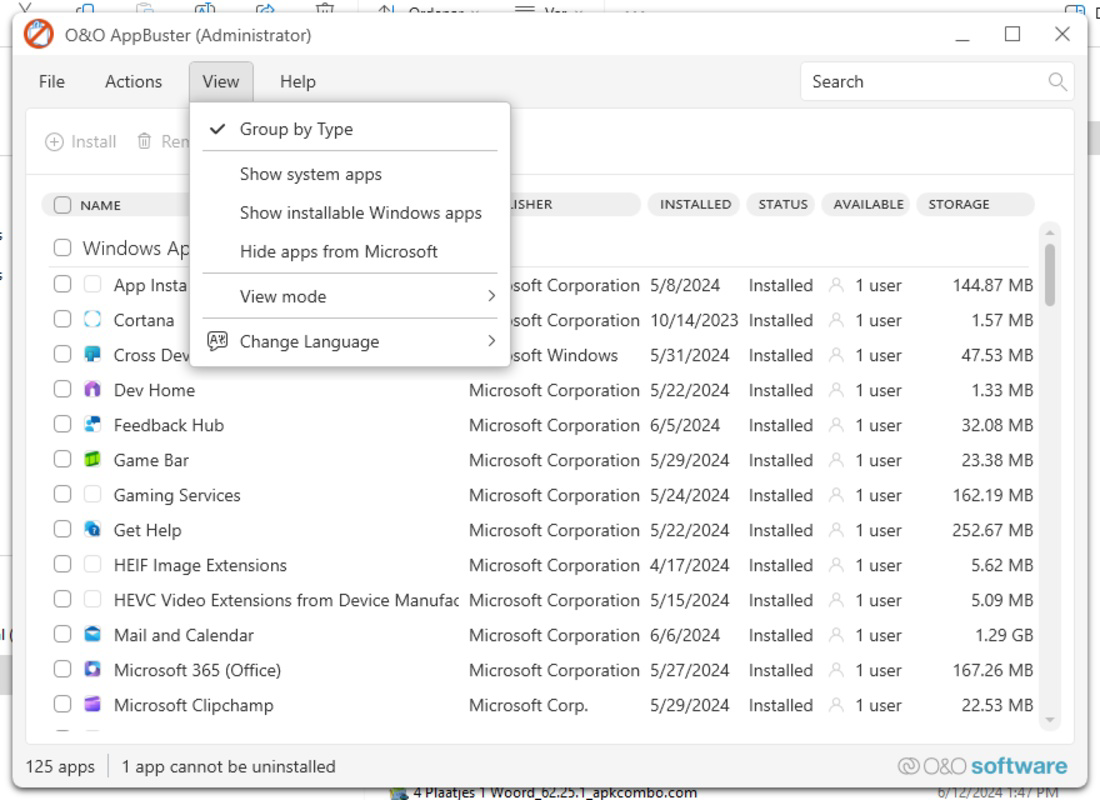
O&O AppBuster features a clean, user-friendly interface that emphasizes clarity and ease of navigation. The layout is organized around a central dashboard displaying a categorized list of installed applications, with clear visual indicators for app types—such as pre-installed, Store, or system apps. Users can filter and search through the list, making it simple to locate specific software for removal.
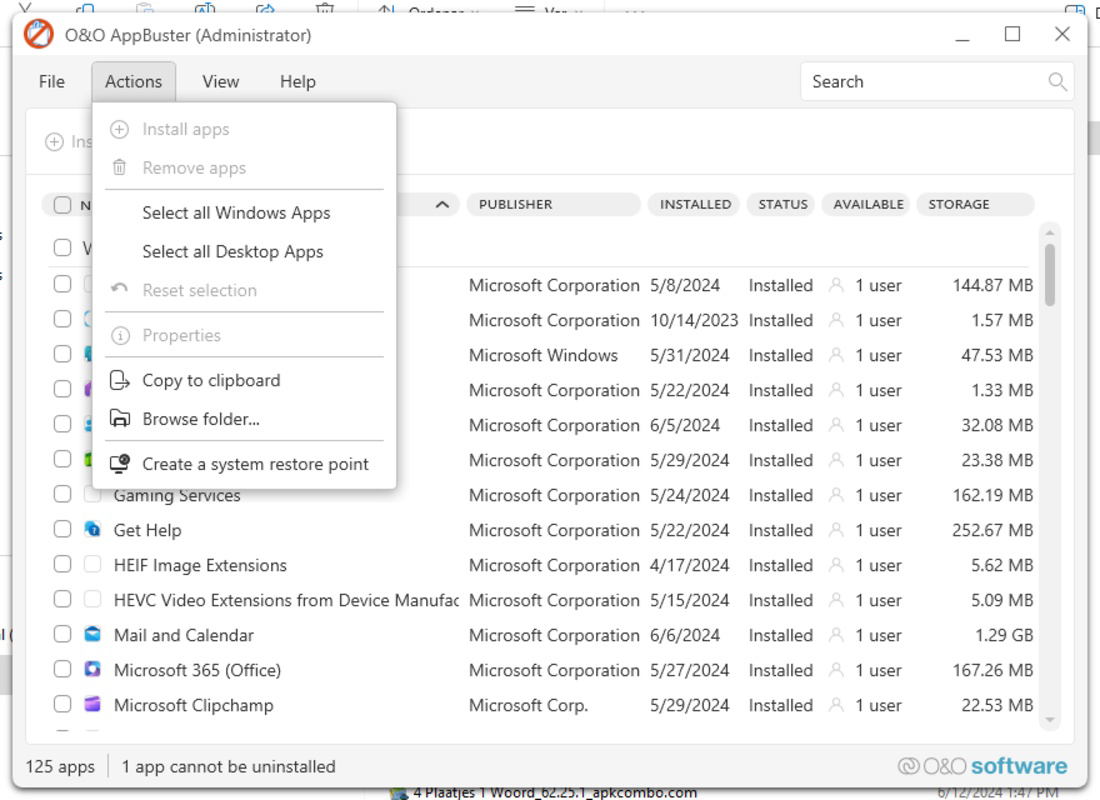
Navigation is intuitive, with a sidebar or menu structure that allows quick access to key functions like app management, restore options, and settings. The tool avoids overwhelming users with technical jargon, instead using plain language and tooltips to guide decisions. This design philosophy supports both novice users and those with intermediate technical knowledge.
Although the developer did not list formal performance metrics, the application’s lightweight footprint suggests efficient operation across various device categories. It is expected to run smoothly on systems with modest hardware, including older or low-end configurations. Responsiveness is maintained during scanning and removal processes, with minimal impact on system performance. Stability appears to be a focus, as the restore feature indicates an effort to prevent irreversible errors. Overall, the UX design prioritizes control, transparency, and user confidence during system cleanup tasks.
Platform Compatibility & Technical Requirements
O&O AppBuster is designed for the Windows platform and is compatible with Windows 10 and Windows 11 operating systems. The software is available in a single version—1.0.0—and has a file size of 23.4 MB, indicating a compact and lightweight deployment. The application is distributed as a free tool, requiring no subscription or in-app purchases.
The developer did not specify minimum OS requirements, hardware specifications, or exact compatibility details beyond the supported Windows versions. This means users should ensure their system meets general Windows 10/11 requirements before installation. No additional dependencies or runtime environments were mentioned. The lack of detailed technical disclosures does not detract from the app’s usability, as the tool functions within the standard Windows environment without requiring complex setup.
Pros and Cons
- Free to use with no hidden costs
- Simple, guided interface suitable for non-technical users
- Effective at removing bloatware and unused Store apps
- Includes a restore function for accidental deletions
- Lightweight and fast to install and run
- No official documentation or user guides provided
- Compatibility details were not fully disclosed
- Only available for Windows, limiting cross-platform use
- Does not support automatic batch removal or scheduled cleanup
- Version 1.0.0 suggests it may be in early development
FAQ
Is O&O AppBuster safe to use?
Yes, the tool is designed to remove non-essential apps safely. It includes a restore feature and avoids deleting core system components.
Can I uninstall system-critical apps with O&O AppBuster?
The application is intended to remove only non-essential apps. It is designed to prevent the removal of vital system functions, though users should exercise caution when selecting apps for deletion.
Does O&O AppBuster require an internet connection?
While the tool does not require constant connectivity, an internet connection is needed to restore deleted apps from the Microsoft Store.
Is O&O AppBuster available for macOS or Linux?
Currently, the application is only available for Windows. No versions for macOS or Linux were provided.
How often should I use O&O AppBuster?
Users may run it after a fresh Windows installation or periodically to remove newly added apps. There is no fixed schedule, but regular use can help maintain system efficiency.
Final Thoughts
O&O AppBuster presents a focused, accessible solution for users seeking to declutter their Windows systems. Its ability to manage pre-installed and Store-based applications with a guided, reversible process makes it a valuable utility for both casual users and professionals. While it lacks advanced automation features and detailed documentation, its simplicity, safety, and free access offer strong value. The tool is especially beneficial for anyone looking to improve performance, free up storage, and regain control over their installed software.
For users aiming to optimize their Windows 10 or 11 environment without complexity, O&O AppBuster delivers a reliable, no-cost option. Its lightweight design and thoughtful features ensure it remains a practical choice in the system cleanup landscape.
Download O&O AppBuster now
Guides & Tutorials for O&O AppBuster
How to install O&O AppBuster
- Click the Preview / Download button above.
- Once redirected, accept the terms and click Install.
- Wait for the O&O AppBuster download to finish on your device.
How to use O&O AppBuster
This software is primarily used for its core features described above. Open the app after installation to explore its capabilities.
User Reviews for O&O AppBuster 0
No reviews found


